
How it works
From the order to the proof, in six steps.
One consignment, start to finish: booked at the desk, sequenced on the run, carried on the driver's phone, proven at the door and counted at the end of the day.
Step 1 of 6
One consignment, typed in seconds.
The office creates the consignment: customer, address, contact, cartons. On Enterprise the sales order arrives from your ERP and fills it for you.
- Saved customers and address autocomplete: a repeat order is three fields.
- One consignment is one delivery address, with any number of cartons.
- Labels and the run sheet print from the consignment, nothing is retyped.
- 3 Template Parade, Virginia QLD 4014
- 3 Template Street, Virginia QLD 4014
Step 2 of 6
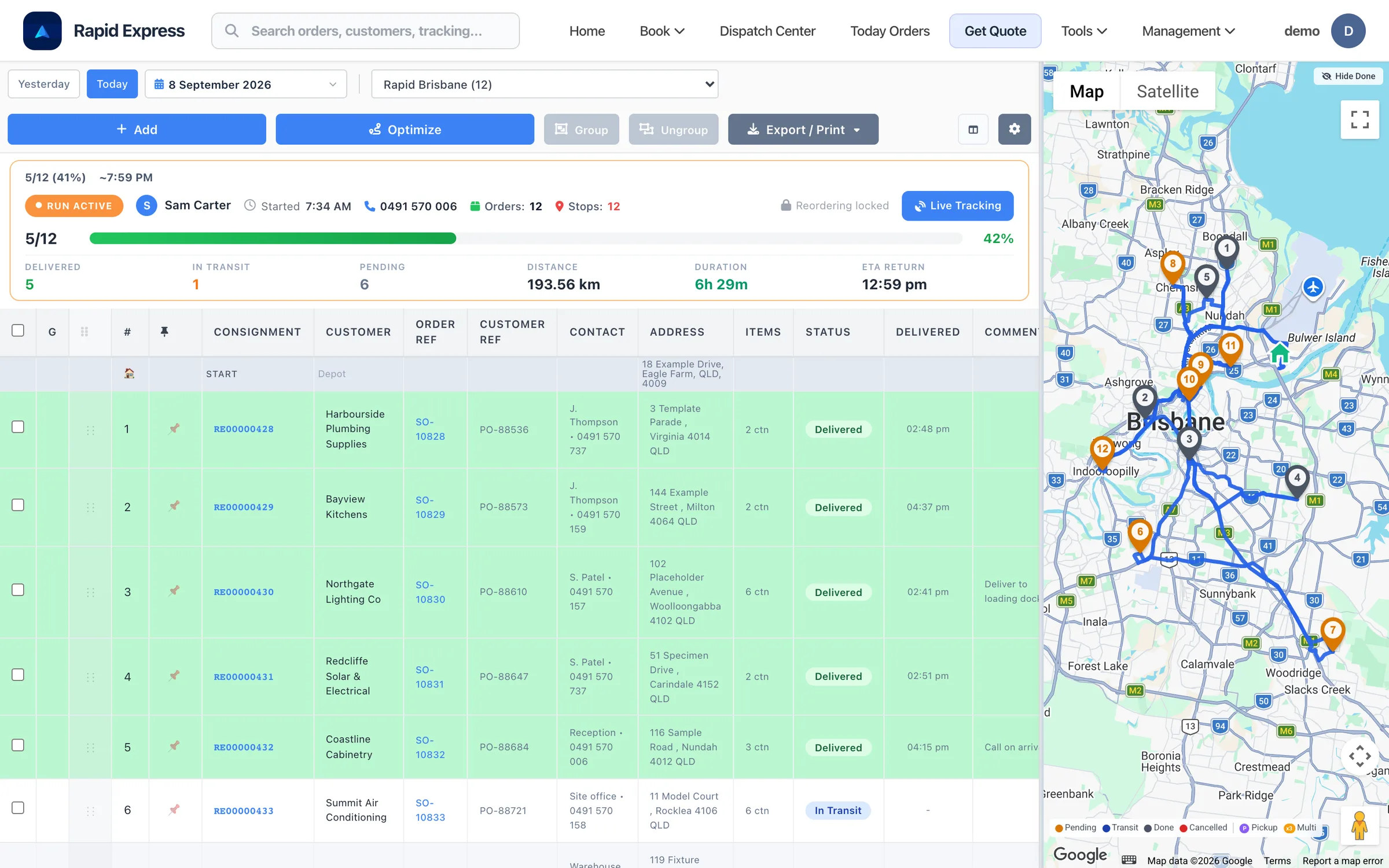
The day's run, on the table.
The Dispatch Center is where the day takes shape. Start and end at the depot, with the planned start time on the run.
- Pick the run and the date; the consignments for it are listed.
- Drag to reorder, pin the stops that cannot move.
- Group consignments that share a stop, or force them apart.
Step 3 of 6
One click, and the rest falls into order.
Press Optimise as many times as you like while planning. Once the driver starts, the run locks so the sheet in the van and the screen in the office never disagree.
- Stops are sequenced by road distance and time, not as the crow flies.
- Pinned stops hold their place; the optimiser works around them.
- Distance, duration and the return ETA update as you go.
Step 4 of 6
The run lands on the driver's phone.
The sequence the office planned is the sequence the driver sees. Position is sent in the background while the run is active, so Fleet Live and the ETAs stay honest.
- Load check: every carton scanned onto the van, keyed-in ones recorded as such.
- A push notification when new work arrives; ad-hoc stops added on the road.
- Navigation handed to the phone's own maps, stop by stop.
Load check
Run BNE-AM · Stop 4
- RE0000431 · 1 of 4Scanned
- RE0000431 · 2 of 4Scanned
- RE0000431 · 3 of 4Keyed in
- RE0000431 · 4 of 4Waiting
Step 5 of 6
Proven at the door, seen by the customer.
The driver closes the stop in three taps. If a carton will not scan, it can be keyed in, and the record says so.
- Photo, signature and the receiver's name, stored on the consignment and available as a PDF.
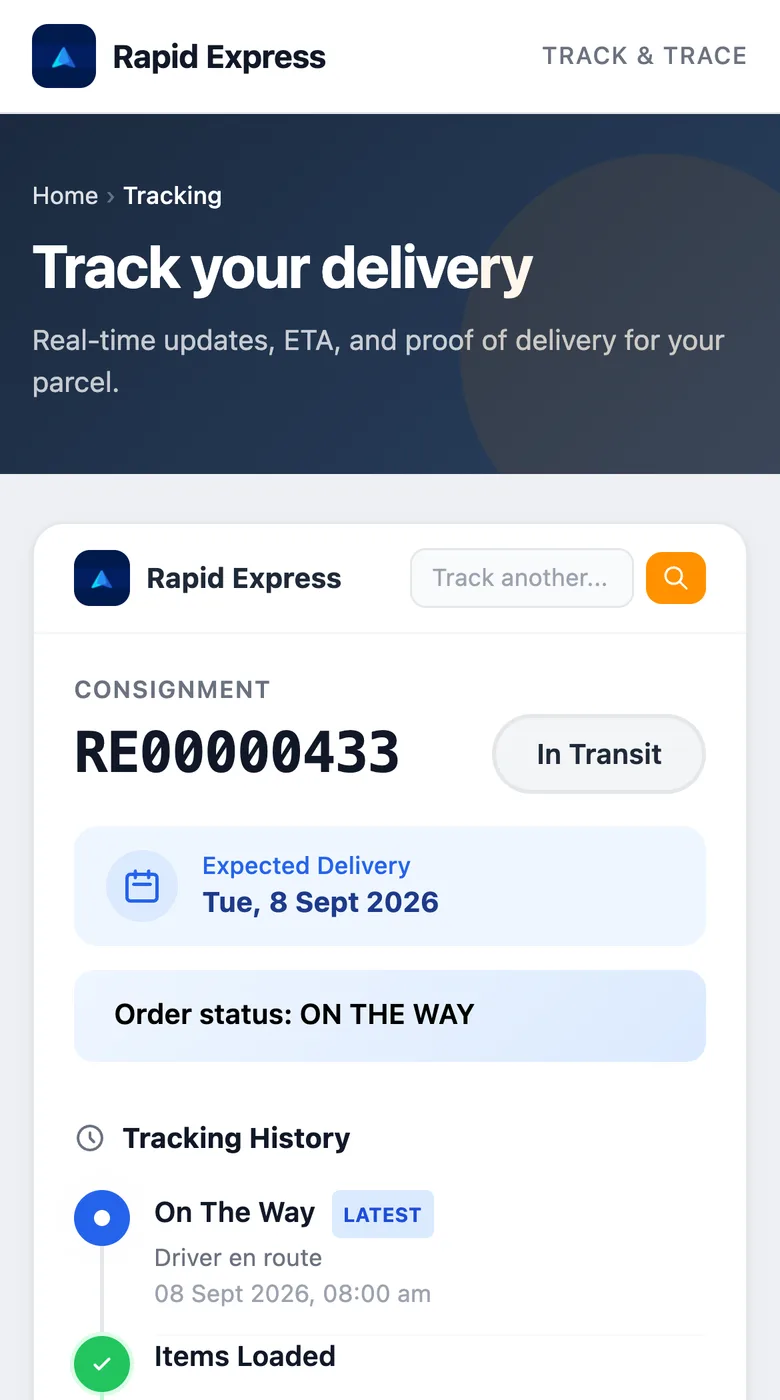
- Your customer got an email with the tracking link when the run started.
- The public tracking page updates as it happens, no login needed.
Proof of delivery
Harbourside Plumbing
3 Template Parade, Virginia
Signature
Step 6 of 6
The day, counted.
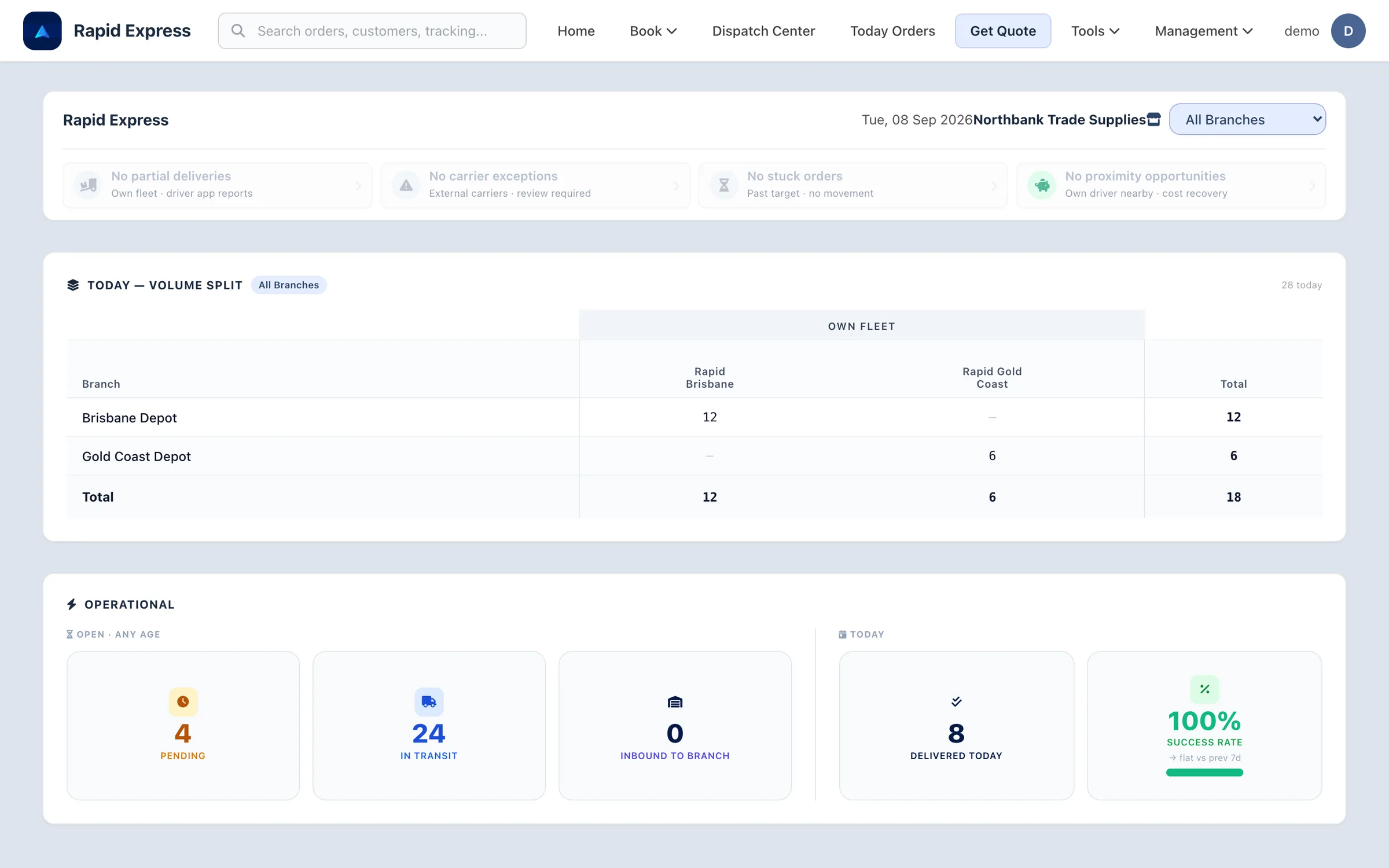
Drill into any number and you land on the screen that resolves it. Runs, stops, scans and proof stay on the consignment for as long as you need them.
- The dashboard opens on today: pending, moving, delivered, success rate, by branch.
- CSV export of consignments, for your own spreadsheets.
- On Fleet Pro: delivery reports and what each run cost against a carrier.
See it on your own delivery mix.
A 45-minute walkthrough, online, on numbers like yours.
Ready to run your fleet from one screen?
Book a demo and we will walk through your depot, your vans and your stops per day, using numbers like yours.